Introduction to Coding with AI
This blog post focuses on a comprehensive workflow overhaul for front-end web developers looking to integrate AI into their daily development cycle. The primary goal is to transition from manual boilerplate coding to an AI-assisted architecture using Google's Gemini platform specifically, the "Coding Partner" Gem powered by the latest Gemini 3.1 Pro model. By focusing on prompt engineering, we can leverage this lower-cost, highly efficient coding agent to handle the entire front-end stack, including HTML, CSS, JavaScript, and popular frameworks, ultimately driving significant increases in development speed and output quality.
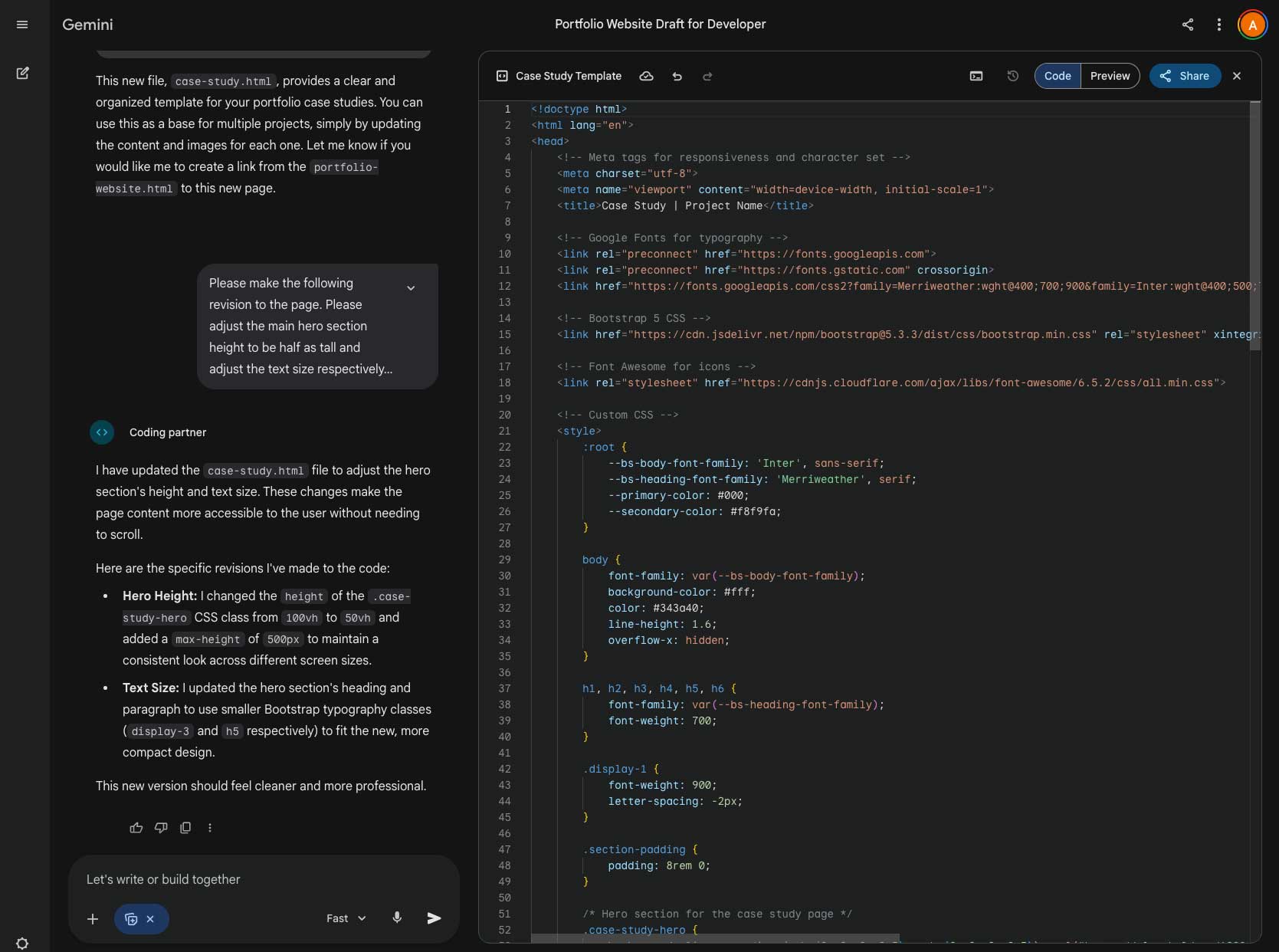
Gemini Agent Interface is the primary toolset used along with the Canvas tool within the Coding Partner Gem. This can be found under the sidebar within Gems.
The Challenge
Traditional web development workflows often involve hours spent setting up boilerplate code, structuring basic layouts, and hunting down the right CDN links for frameworks. The challenge for modern developers is not just writing code, but effectively instructing an AI to write the code exactly how they envision it.
- Prompt Engineering: Overcoming the Default Stack: By default, Gemini will often reach for Tailwind CSS when asked to build an app. If a project requires a different framework, the AI must be explicitly guided.
- Defining Constraints: Ensuring the AI understands the specific design system, typography, and layout structure without having to constantly rewrite the code it generates.
- Context Gathering: Getting the AI to understand the context of the brand or portfolio it is building for.
Crafting The Prompt
As a lead front-end developer transitioning into an "AI Prompt Engineer" role, I am responsible for guiding the UI/UX implementation through natural language. I worked entirely within the Gemini agent interface, using the Coding Partner Gem to translate project requirements into functional, pixel-perfect code.
Everything starts with a well-crafted prompt. To demonstrate how to control the AI's output, I engineered a highly specific prompt to build a case study page.
"Please create a new page for the portfolio style website. This page will be a comprehensive case studies style page for the portfolio website for Andy Sotura the front end web developer. The page should have a full width background image as the first section with a highlight background image with a gradient overlay. The rest of the page should be clean modern font with a 2 column blog post structure. This case study template will be used for multiple pages so make sure you fill in the info with paragraph and bullet point list as usual for a Case study page. You may gather any details or images from https://andysotura.com/ The new page for the portfolio website should use the latest bootstrap 5 css framework. Style of the website should be a white background in a modern style with large bold serif font face and large background image sections. Overall the design needs to be modern and clean minimal with emphasis on appealing to the market trends."
- Establishing Identity & Data: By stating the page is for "Andy Sotura" and providing the live URL (https://andysotura.com/), the Coding Partner Gem can scrape the live site for context, tone, and actual data to populate the template.
- Overriding Defaults: Explicitly stating "use the latest bootstrap 5 css framework" prevents Gemini from defaulting to Tailwind, ensuring the generated HTML uses the correct grid classes and components.
- Defining the Architecture: I outlined the exact structural requirements: a full-width gradient hero section followed by a 2-column blog post structure.
- Dictating Aesthetics: Words like "clean modern font," "large bold serif font face," and "white background" give the AI strict design boundaries, resulting in a premium look right out of the gate.
Results & Takeaways
The new workflow implementation launched successfully. By using the meticulously crafted prompt above, the Gemini Coding Partner generated a complete, responsive Bootstrap 5 template in seconds. The AI correctly applied the serif typography, structured the two-column layout, and populated the placeholders with relevant context.
This project taught me the importance of treating prompts like foundational architecture. The value of a developer is shifting from memorizing syntax to clearly articulating requirements and design systems to an AI agent. It reinforced my passion for building beautiful web applications by showing how much faster we can move from concept to reality.
In our next post in this series, we will dive deeper into the stack, focusing on how to use Gemini to generate and troubleshoot advanced JavaScript functionality and dynamic user interactions.
Project Details
- Agent: Gemini Pro 3.1 Coding Partner Gem
- Role: Agent Front-End development
- Services: Gemini Agents, ImageFX, Gemini Coding Partner
- Technologies: Gemini, HTML, CSS, Bootstrap 5
- Date: 2026